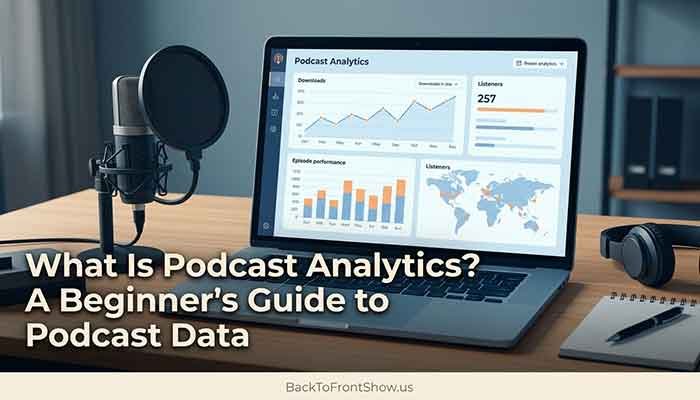
Podcast analytics is the data that shows you how people are finding, playing, and listening to your show. That includes numbers like downloads, plays, unique listeners, completion rates, and where your audience is tuning in from — whether that’s your podcast host’s dashboard, Apple Podcasts Connect, or Spotify for Creators.
If you’re just starting out, here’s the short version: your podcast host tracks how many times your episode files are requested (downloads), while apps like Apple Podcasts and Spotify track actual listening behavior on their platforms. No single number tells the whole story. You need a few of them together to understand how your show is really doing.
In this article, you’ll learn what the main podcast metrics mean, where to find them, how downloads differ from streams and listeners, and what to actually do with the data once you have it.
Podcast Analytics Definition
At its core, podcast analytics definition boils down to this: it’s the measurement and reporting of how an audio (or video) podcast is consumed, covering everything from raw download counts to listener demographics and episode-by-episode retention.
Unlike a website, where you can install one analytics tool and see almost everything in one place, podcasting is spread across many apps — Apple Podcasts, Spotify, YouTube, Overcast, Pocket Casts, and dozens more. Nobody has a single login that shows every listener on every app. Instead, you piece the picture together from a few sources:
- Your podcast host (Podigee, Castos, Buzzsprout, Simplecast, and similar platforms) tracks downloads across your entire RSS feed, using industry rules for what counts as a real download.
- Apple Podcasts Connect shows listening behavior specifically on Apple’s platform.
- Spotify for Creators (formerly Spotify for Podcasters) shows plays, streams, and demographics specifically on Spotify.
- YouTube Studio, if you publish video episodes, shows views and watch time there.
In my experience, most beginners assume there’s one “official” number for how many people listen to their show. There isn’t. There’s a download number from your host, and then separate, smaller pictures from each listening app. That’s normal, not a sign something’s broken.
Read More: How to Get More Podcast Listeners: A Practical Growth Guide
Why Podcast Analytics Matter
Podcast analytics matter for a few practical reasons:
- They tell you if your show is actually growing. Download and listener trends over weeks and months are far more useful than any single episode’s numbers.
- They help you improve your content. Completion rate and engagement data show you where listeners drop off, which can point to pacing issues, a weak intro, or an episode that runs too long.
- They’re the foundation of sponsorship pitches. Advertisers want to see consistent, credible numbers — not vanity metrics.
- They guide where to focus your marketing. If most of your audience is on Spotify, that’s where clips and promotion probably deserve the most attention.
I usually recommend that new podcasters check their numbers no more than once a week at first. Checking daily tends to create anxiety over normal day-to-day fluctuation that doesn’t mean anything on its own.
Key Podcast Metrics Explained
Here are the podcast metrics you’ll run into most often, and what each one actually measures.
| Metric | What It Measures | Where You’ll See It |
|---|---|---|
| Downloads | A file request for an episode, counted at the server level | Your podcast host |
| Plays / Streams | Someone actually pressing play and listening for a set amount of time (commonly 60 seconds) | Apple Podcasts Connect, Spotify for Creators |
| Unique Listeners | Distinct individuals who listened, not total plays | Apple Podcasts Connect, Spotify for Creators |
| Engaged Listeners / Average Consumption | How much of an episode people actually stick around for | Apple Podcasts Connect |
| Completion Rate | The percentage of an episode played through to (or near) the end | Host and app dashboards, varies by platform |
| Followers / Subscribers | Listeners who’ve followed or subscribed to get new episodes automatically | Apple Podcasts Connect, Spotify for Creators |
| Audience Demographics | Age range, gender, and location breakdowns of your listeners | Spotify for Creators (most detailed), some hosting platforms |
A couple of these are worth slowing down on, because people mix them up constantly.
Downloads
A download is counted when an audio file is requested from the server, following a process where requests go through filtering and unique identification before being turned into a metric. The industry standard for this comes from the IAB Podcast Measurement Technical Guidelines, published by the Interactive Advertising Bureau, which define exactly what counts as a real download so numbers mean the same thing across different hosts. Under these guidelines, a request generally needs to fetch at least one minute of the audio file to count as a legitimate download, and repeat requests from the same device within a 24-hour window are counted only once.
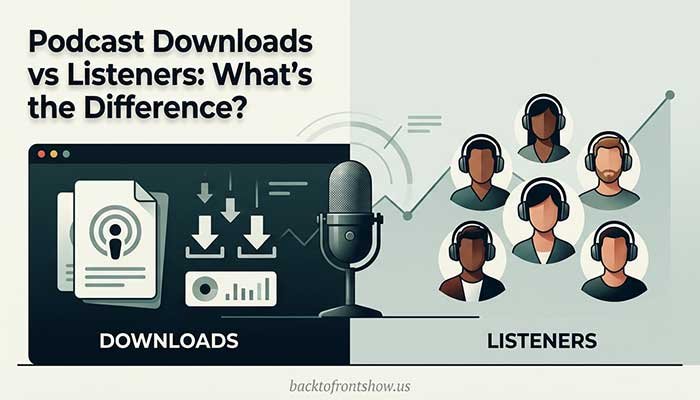
This is why your podcast host’s download count for an episode almost never matches Apple’s or Spotify’s number for the same episode — downloads, streams, and listeners aren’t the same thing, and each platform counts differently.
Plays, Streams, and Listeners
On Apple Podcasts, a “play” is counted when a person actually presses play, as opposed to a download, which is just a file transfer. Apple’s available metrics include Plays, Listeners (unique people), Engaged Listeners (defined as 20 minutes or 40% of an episode), Average Consumption, Followers, and Time Listened.
On Spotify, the terminology is a little different. Spotify classifies listening activity into “starts,” counted every time a listener streams a show for zero seconds or more, and “streams,” counted when someone listens for 60 seconds or more. Spotify also reports “Listeners,” which are the unique users who started an episode, and “Followers,” who are listeners who’ve hit the follow button.
Engagement and Completion
Engagement metrics tell you whether people are sticking around, not just clicking play. On Apple’s platform specifically, Engaged Listeners and Average Consumption are considered the two metrics that best show whether your content is actually working.
Example (hypothetical): Imagine a weekly business podcast that shows 3,000 downloads for an episode. If Apple Podcasts Connect shows only 900 plays and an average consumption of 35%, that’s a signal worth paying attention to — a lot of downloads aren’t turning into real listening. In my experience, this gap usually points to either a slow episode opening or an intro that runs too long before the actual content starts.
Where to Find Your Podcast Analytics
You’ll pull your numbers from a few different places, and each one shows something the others don’t.
| Source | What It Shows | Cost |
|---|---|---|
| Your podcast host | IAB-style download counts across all apps and directories your RSS feed reaches | Usually included with hosting |
| Apple Podcasts Connect | Plays, listeners, engaged listeners, average consumption, followers, time listened | Free |
| Spotify for Creators | Starts, streams, unique listeners, followers, audience demographics | Free |
| YouTube Studio | Views, watch time, audience retention (for video podcasts) | Free |
Apple Podcasts Connect focuses on aggregated listening and viewing completion rates from unique devices for each episode, rather than downloads, and by default shows data for the last 60 days, with the option to choose a different date range. Apple has also added subscription-specific analytics for creators who sell paid subscriptions, including free trial counts, paid subscription totals, conversion rates from trial to paid, and breakdowns by country and subscription type.
Spotify’s dashboard is generally considered the strongest for demographic detail. Spotify’s free analytics dashboard reports plays, streams, starts, listeners, impressions, conversion rate, completion, followers, comments, and limited audience demographics — but only for activity that happens on Spotify itself. It’s also worth knowing that Spotify does not follow the same IAB measurement methodology that most podcast hosts use, which is another reason its numbers won’t match your host’s download count.
One thing I’ve noticed working with beginner podcasters: they often check only one of these dashboards and assume it represents their whole audience. It doesn’t. Your host’s download total is closest to your “total reach” number, while Apple and Spotify each show you a slice of actual listening behavior on their specific app.
Downloads vs. Streams vs. Listeners: What’s the Difference?
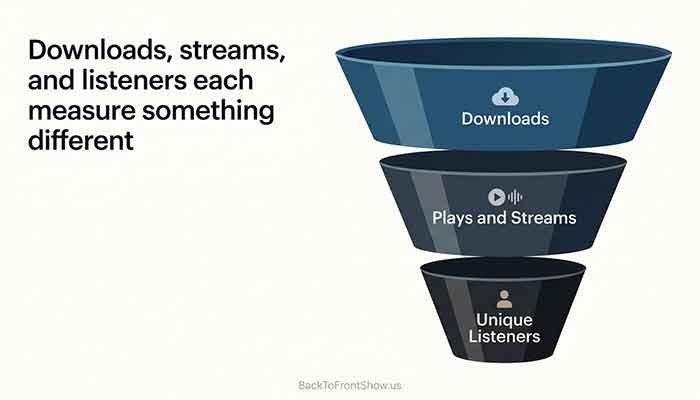
This trips up almost every new podcaster, so it’s worth spelling out plainly:
- A download happens when the audio file is requested from the server — it doesn’t necessarily mean a person listened to any of it.
- A stream or play happens when someone actually presses play and listens for a minimum amount of time (commonly around 60 seconds, though this varies by platform).
- A unique listener is a distinct person, not a raw count of plays — one listener can generate multiple plays across several episodes.
Example (hypothetical): Say a true-crime podcast gets 5,000 downloads in the first week after an episode drops. That doesn’t mean 5,000 people listened. Some of those downloads are podcast apps pre-fetching the episode in the background for users who never open it. That’s normal and expected — it’s one reason the IAB guidelines exist, to filter out this kind of noise and give you a more honest number.
How to Read Your Podcast Analytics: A Practical Approach
Numbers by themselves don’t tell you much. Here’s a step-by-step approach I’d recommend for actually using the data:
- Check trends, not single episodes. Look at download totals over the last 4-8 episodes rather than judging one episode in isolation.
- Compare consumption, not just downloads. If downloads are climbing but average consumption is falling, your reach is growing but your content might be losing people partway through.
- Watch where listeners drop off. If your host or Apple’s analytics show a consistent drop-off point across episodes, review that section of your format — it might be a long ad break, a slow segment, or an intro that’s too long.
- Track platform mix. If most of your audience listens on Spotify, prioritize Spotify-native promotion (clips, playlist pitches) over channels where you have little audience.
- Use demographic data for content and sponsor decisions. Age, gender, and location breakdowns (most detailed on Spotify) help you tailor topics and identify sponsors whose target customer matches your actual audience.
- Give it time before you react. A single slow week rarely means anything. Look for patterns across a month or more before changing your format.
Mistakes to Avoid
- Treating downloads as “listeners.” They’re related but not the same thing.
- Comparing your host’s download number directly to Apple’s or Spotify‘s numbers. They’re measuring different things by design.
- Obsessing over daily fluctuations. Podcast listening naturally varies day to day; weekly and monthly trends matter more.
- Ignoring completion rate in favor of raw downloads. A show with fewer downloads but high completion often has a more engaged (and more valuable, for sponsors) audience than one with high downloads and low completion.
- Never checking Apple or Spotify because your host shows “enough.” Each platform’s dashboard reveals things the others can’t, especially demographics.
Pros and Cons of Relying on Free Platform Analytics
| Pros | Cons | |
|---|---|---|
| Podcast host analytics | Consistent, IAB-aligned download counts across your whole audience | Doesn’t show true listening behavior or demographics |
| Apple Podcasts Connect | Free, shows real listening behavior and engagement | Apple-only, no revenue or download totals for your whole feed |
| Spotify for Creators | Free, strongest demographic breakdowns | Spotify-only, uses its own methodology instead of IAB standards |
In my experience, no single dashboard is “the” answer. A realistic setup for most beginners is: check your host for overall reach and trend, then check Apple and Spotify periodically for a deeper look at how people are actually engaging.
Key Takeaways
- Podcast analytics is the combined picture of downloads, plays, listeners, and engagement across your host and the apps people use to listen.
- Downloads are counted by your host using IAB-aligned rules; plays and streams are counted separately by apps like Apple Podcasts and Spotify.
- No single number tells the full story — use downloads for overall reach, and engagement/completion data to judge whether your content is actually holding attention.
- Check trends over weeks and months, not single episodes, and use demographic data to guide content and sponsorship decisions.