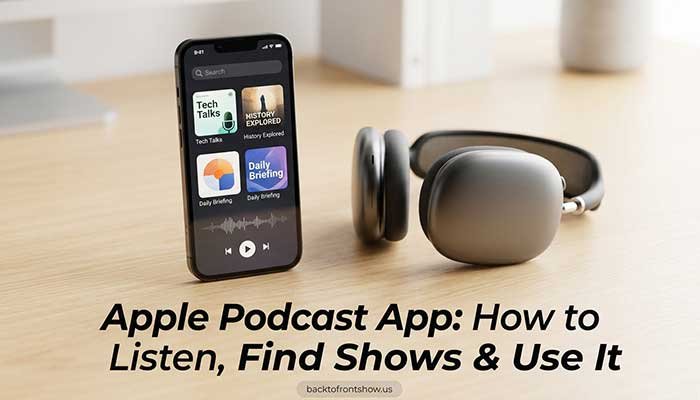
Apple Podcasts is Apple’s dedicated app for finding, following, listening to, and watching podcasts. On an iPhone, iPad, Mac, and other supported Apple devices, you can search for shows, follow favorites, download episodes for offline listening, browse categories and charts, read available transcripts, and manage your podcast library.
You don’t necessarily need an Apple device, either. Apple also offers Apple Podcasts online through a web browser at podcasts.apple.com. Signed-in listeners can access features such as their library, Up Next queue, subscriptions, recommendations, and saved listening progress. People who aren’t signed in can still listen to free podcasts and explore charts and editorial collections.
If you’re opening Apple Podcasts for the first time, this guide will walk you through the features that matter most and show you the simplest way to find something worth listening to.
What Is Apple Podcasts?
Apple Podcasts is Apple’s podcast listening platform. Its catalog includes shows covering news, business, comedy, true crime, sports, technology, education, health, entertainment, and many other subjects.
The basic experience includes free podcasts, while some creators and podcast networks offer optional paid subscriptions for benefits such as bonus episodes, early releases, subscriber-only content, or ad-free listening. Subscription prices and benefits are set by the individual creator or publisher, so there isn’t one universal Apple Podcasts subscription price.
Apple currently supports both audio and video podcasts, depending on what a publisher makes available. Supported episodes can also include transcripts, chapters, links, and other interactive information.
Where can you use Apple Podcasts?
Apple lists the Podcasts app across devices including:
- iPhone
- iPad
- Mac
- Apple Watch
- Apple TV 4K
- Apple Vision Pro
- CarPlay
- HomePod
You can also listen through a browser using Apple Podcasts on the web.
That flexibility is useful if, for example, you start an episode on your Mac and later want to continue listening on another Apple device.
How to Use Apple Podcasts on iPhone
For most people, the iPhone app is the easiest place to start.
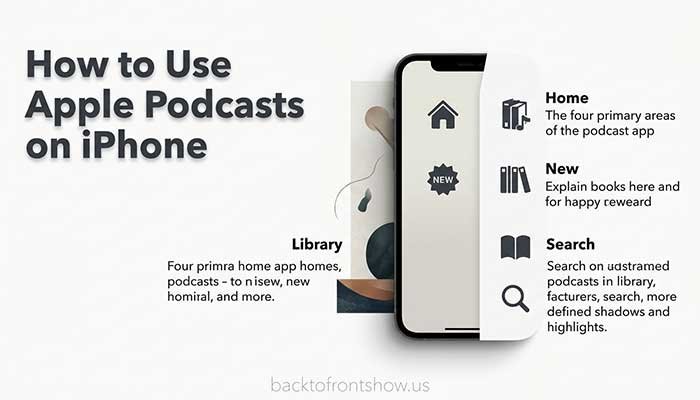
Apple’s current Podcasts interface centers around four main areas:
| Section | What it’s mainly for |
|---|---|
| Home | Recommendations, recent listening, and personalized suggestions |
| New | New and trending podcasts, editorial collections, and charts |
| Library | Followed shows, saved/downloaded episodes, categories, channels, and stations |
| Search | Finding shows, episodes, people, topics, and categories |
Apple renamed the previous Browse tab to New, so older tutorials or screenshots may still tell you to tap Browse. In newer versions of the app, look for New instead.
How to Find a Podcast on Apple Podcasts
If you already know what you want, Search is usually the fastest route.
Search for a show or episode
On an iPhone:
- Open the Podcasts app.
- Tap Search.
- Enter the name of a podcast, episode, host, guest, category, or topic.
- Review the results.
- Tap a show, channel, or individual episode to open it.
- Tap the play button to start listening.
Apple says searches can be based on a category, title, person, or topic.
For example, you might search for:
- a podcast title
- a host’s name
- “personal finance”
- “NFL”
- “true crime”
- a guest you heard interviewed
- an episode topic
In my experience, searching by the specific show name or guest name is usually more efficient than starting with a very broad term. Broad searches are more useful when you’re trying to discover something new.
How to Search Within a Podcast
A podcast may have hundreds—or even thousands—of episodes, which can make scrolling frustrating.
Apple’s newer Podcasts experience includes Search in Show.
Open a podcast’s page, view its full episode list, and use the search field to look for a particular episode. Apple says the feature can find results based on elements such as a guest name, episode title, keyword, or something mentioned in an available transcript.
This is especially helpful for long-running interview, news, technology, and educational podcasts.
Imagine you’ve found a business podcast with 600 episodes and want an interview with a particular founder. Searching inside the show is far quicker than manually scrolling through years of episodes.
How to Follow a Podcast
If you find a show you want to hear regularly, follow it.
On iPhone or iPad:
- Open Apple Podcasts.
- Find the show.
- Open the show’s page.
- Tap the Follow button.
Your followed podcasts can then be found in your Library. Apple also allows notifications for new episodes, and download behavior can be customized.
Following is different from paying for a podcast.
Following organizes a show in your library and helps you keep up with new episodes.
A subscription is an optional paid offering from a creator or channel when one is available.
You can therefore follow many podcasts without paying for them.
How to Listen to an Episode
Once you find an episode, tap its play button.
When an episode is playing, Apple Podcasts provides controls that can include:
- play and pause
- skip forward and back
- playback speed
- Playing Next queue
- AirPlay
- sleep timer
- transcript
- chapters
- episode links
- video controls when video is available
Exact options depend on the episode, device, and software version.
Change podcast playback speed
If a host speaks slowly—or you’re trying to get through a long episode faster—you can adjust playback speed.
Apple has expanded speed controls over time, and its recent software supports granular speeds from 0.5x to 3x. Preferred listening settings can also be saved for individual shows on supported software.
I usually recommend choosing a speed that still lets you understand and remember the discussion. Getting through an episode faster isn’t particularly useful if you keep having to rewind important sections.
How to Download Apple Podcasts for Offline Listening
You can download podcast episodes so they continue playing when you don’t have an internet connection.
This is useful for:
- flights
- subway or train rides
- commuting through areas with weak reception
- traveling
- limiting mobile data use
Apple says downloaded episodes appear in the Downloaded section of your Library and can be played offline.
To find downloads on an iPhone:
- Open Podcasts.
- Tap Library.
- Open Downloaded.
- Select the episode you want to hear.
You can also change automatic download settings for individual shows.
One thing I’ve found practical is to check automatic downloads if podcast episodes are taking up more storage than expected. Following several daily shows can cause downloaded episodes to accumulate surprisingly quickly.
How the Apple Podcasts Library Works
Your Library is your main organization area.
Depending on what you’ve followed, saved, downloaded, or subscribed to, Apple may show sections including:
- Shows
- Channels
- Categories
- Saved
- Downloaded
- Latest Episodes
- Stations
Apple also lets you create Stations, which work somewhat like automatic podcast playlists. You can group followed shows around a theme such as morning news, business, sports, or comedy.
For someone who follows many shows, Stations can make the app considerably easier to manage.
For example, you could create:
Morning News Station
- daily national news show
- business news podcast
- technology news show
Then keep entertainment podcasts separate instead of mixing everything into one listening routine.
How to Discover New Podcasts
Searching is useful when you know what you want. Discovery is different.
Apple offers several ways to explore.
1. Use the New tab
The New section highlights newer shows, trending content, Top Charts, editorial recommendations, collections, creators, and category-based selections.
It’s a good place to start when your question is simply, “What should I listen to next?”
2. Browse podcast categories
Apple organizes podcasts using more than 100 categories and subcategories. Major categories include:
- Arts
- Business
- Comedy
- Education
- Fiction
- Government
- Health & Fitness
- History
- Kids & Family
- Leisure
- Music
- News
- Religion & Spirituality
- Science
- Society & Culture
- Sports
- Technology
- True Crime
- TV & Film
Many contain narrower subcategories. Business, for instance, includes areas such as Careers, Entrepreneurship, Investing, Management, Marketing, and Non-Profit.
This is one reason I prefer category browsing over repeatedly typing broad keywords into search when I’m exploring. A category page gives you a more structured view of what’s available.
3. Use personalized recommendations
Apple provides recommendations based partly on listening activity and interests.
On supported iPhone software, the Home section can include rows such as You Might Like and other personalized suggestions. Apple also lets you tell the system to suggest less of a particular show.
The more useful approach is to treat recommendations as discovery tools rather than assuming the first suggestion will automatically be the best podcast for you.
Apple Podcasts Charts: How to Find Top Shows
If you’re looking for popular podcasts, use Apple Podcasts Charts.
The charts cover top shows and episodes and can be filtered by category. Apple describes its charts as a way to see podcasts attracting attention at the moment.
On iPhone, you can reach Top Charts through Apple’s discovery areas and select a category when available.
You can also view the current U.S. charts online:
It’s important to understand that rankings change. A podcast listed near the top today may be in a different position when you check later.
I wouldn’t use chart position alone to decide whether a show is worth your time. Charts are excellent for spotting what’s currently popular, but subject matter, host style, episode quality, and your own interests still matter more for long-term listening.
Apple Podcasts Search vs. Charts vs. Categories
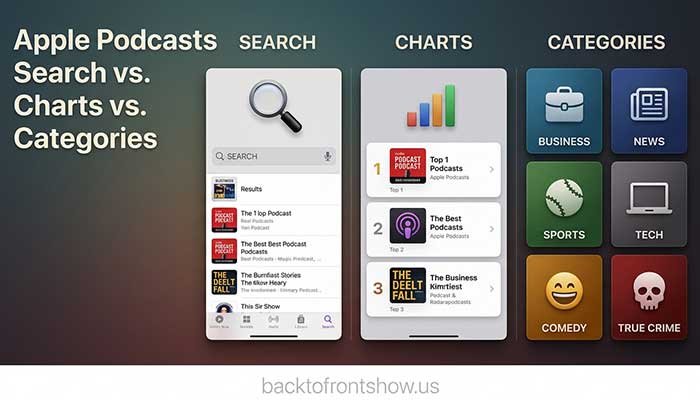
Here’s the easiest way to decide which discovery tool to use:
| If you want to… | Best option |
|---|---|
| Find a specific podcast | Search |
| Find an episode about a specific subject | Search |
| Find an old episode from one show | Search in Show |
| See what’s currently popular | Top Charts |
| Explore a subject broadly | Categories |
| Discover editorial picks and new releases | New |
| Get suggestions based on your activity | Home |
For beginners, this distinction makes Apple Podcasts much easier to navigate.
Can You Listen to Apple Podcasts Online?
Yes.
Apple Podcasts is available on the web at:
According to Apple, the web version is available through browsers in 175 countries and regions. A signed-in listener can access the Library, Up Next queue, subscriptions, recommendations, followed shows, and saved listening progress.
If you don’t sign in, you can still listen to millions of free podcasts, browse Top Charts, and explore Apple’s editorial collections.
That makes the web version especially useful if you’re on a Windows PC or another device where you don’t normally use Apple’s Podcasts app.
Do you need an Apple Account?
Not for every basic listening activity on the web.
However, signing in is required for features tied to your account, and Apple notes that explicit shows and episodes require Apple Account sign-in on the web.
How Apple Podcasts Transcripts Work
Some podcast episodes include transcripts that allow you to read along while listening.
Apple’s transcript tools can let you:
- follow spoken words while an episode plays
- read the full text separately
- search for a word or phrase
- tap text to jump to that point in the episode
- navigate supported chapters
- access related information when provided
This is one of the features I find particularly useful for informational podcasts. If you’re trying to relocate a statistic, product name, book recommendation, or a specific comment from a long conversation, searching the transcript can be much faster than replaying chunks of audio.
Not every episode will necessarily provide the same transcript experience, so don’t assume the feature will appear for every podcast.
Watching Video Podcasts on Apple Podcasts
Apple Podcasts isn’t limited to audio.
Supported video podcast episodes can play directly inside the app. Apple’s current platform supports options such as full-screen viewing and Picture in Picture on compatible devices. Recent platform updates have also expanded video support and added read-along transcripts, chapters, and media links to supported video episodes.
If you’re mainly listening while driving, exercising, or working, audio will often remain more convenient. Video becomes useful when visual demonstrations, charts, interviews, or studio interactions are part of the experience.
What Are Apple Podcasts Subscriptions?
Some creators sell premium access through Apple Podcasts.
Possible subscriber benefits can include:
- ad-free listening
- bonus episodes
- early access
- subscriber-only episodes
- other creator-defined premium content
The exact benefits and price depend on the individual podcast or channel.
You don’t need a paid subscription simply to use Apple Podcasts or listen to the large catalog of freely available shows.
If you do subscribe, Apple says podcast subscriptions can be managed through your account subscription settings. Eligible subscriptions may also support Family Sharing with up to five other people.
Before paying, I’d recommend checking exactly what the creator includes. A subscription can be worthwhile for a podcast you listen to every week, but there’s little reason to subscribe just because an option appears on the show page.
How to Get Notifications for New Episodes
If you don’t want to miss episodes from a favorite podcast, enable notifications for that show.
On current iPhone software, Apple provides podcast notification controls through the Podcasts app. You can choose which followed shows are allowed to notify you when new episodes arrive.
For someone following dozens of podcasts, I wouldn’t necessarily enable notifications for all of them. Reserve alerts for the shows where hearing an episode soon after publication actually matters.
Read More: Kelce Podcast: New Heights With Jason And Travis Kelce Explained
How to Organize Apple Podcasts Better
Once you’ve followed several podcasts, a little organization can prevent the Library from becoming cluttered.
A practical setup is:
- Follow only shows you genuinely want in your Library.
- Save individual episodes you intend to return to.
- Download episodes only when you need offline access.
- Review automatic-download settings.
- Use Stations if you follow many shows.
- Use categories and favorite channels to simplify discovery.
- Remove or unfollow shows you no longer listen to.
Apple also lets you sort episodes from newest to oldest or oldest to newest for supported shows.
The biggest mistake I’ve noticed with podcast apps is treating “Follow” as a bookmark for anything that looks mildly interesting. A smaller, intentional library is usually much easier to use.
Apple Podcasts Pros and Cons
Pros
Large podcast catalog
Apple provides access to millions of shows covering a wide range of topics.
Strong Apple-device integration
Listening activity can work across compatible Apple devices and the web when you’re signed in.
Offline listening
Episodes can be downloaded for travel or situations without an internet connection.
Useful discovery options
Search, New, Categories, Charts, editorial collections, and personalized recommendations provide several ways to find content.
Searchable transcripts
Available transcripts make it much easier to revisit a specific part of a long episode.
Audio and video support
Supported podcasts can offer both formats.
Cons
Some content costs extra
Certain creators place bonus or premium content behind individual subscriptions.
Not every podcast offers every feature
Transcripts, video, chapters, and premium benefits depend partly on the show and episode.
The interface can change with software updates
Instructions from older articles or videos may use outdated names such as Browse instead of New.
Recommendations aren’t a substitute for manual discovery
Personalization can help, but Search, Categories, and direct recommendations from people you trust may still surface better shows.
Is Apple Podcasts Free?
Apple Podcasts gives listeners access to a large catalog of free podcast content.
Some shows and channels separately offer paid subscriptions. These aren’t required to listen to every podcast; they’re optional products offered by participating publishers and creators.
If an individual podcast displays a Subscribe option, check its listed benefits and price before confirming anything.
Read More: Candace Owens Podcast: Where to Listen, Latest Episodes & Show Details
Apple Podcasts vs. the Apple Podcast App: Is There a Difference?
People commonly search for terms such as Apple Podcast, Apple Podcast App, and Apple Podcasts App.
They’re generally referring to the same service: Apple Podcasts is Apple’s official name for the platform and app.
So if someone tells you to “open Apple Podcast,” they almost certainly mean the Podcasts app on an Apple device or the Apple Podcasts website.
A Simple Apple Podcasts Setup for Beginners
If you’re completely new to the app, you don’t need to configure everything at once.
I’d start this way:
- Open Apple Podcasts.
- Search for three shows you already know or topics you care about.
- Play one recent episode from each.
- Follow only the shows you want to hear again.
- Open New and browse one relevant category.
- Check Top Charts for additional ideas.
- Download an episode before your next trip or commute.
- Try the transcript on a supported episode.
- Adjust playback speed if normal speed feels too slow or fast.
- After a week or two, unfollow anything you aren’t actually listening to.
That gives you enough time to learn the app naturally without filling your Library with dozens of podcasts on day one.
Final Takeaway
Apple Podcasts is straightforward once you understand the difference between its main discovery and organization tools.
Use Search when you know what you’re looking for. Use Search in Show when you’re hunting for an episode inside a large catalog. Use New, Categories, and Top Charts when you want to discover something. Follow your favorites so they stay organized in Library, and download episodes when you need offline access.
You can also use Apple Podcasts online through a browser, so the platform isn’t limited to listening directly on an iPhone.
From my experience working with podcast-related content, the most useful habit is simple: don’t try to follow everything. Find a small group of shows that consistently give you something worthwhile, then use Apple’s search and discovery tools when you’re ready for more.