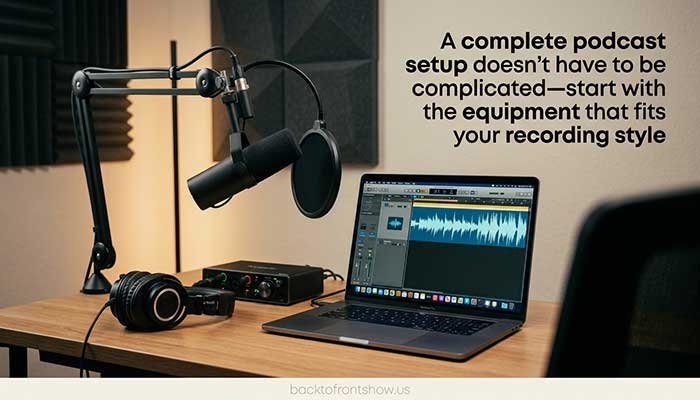
You don’t need a professional studio or thousands of dollars of gear to start a good podcast.
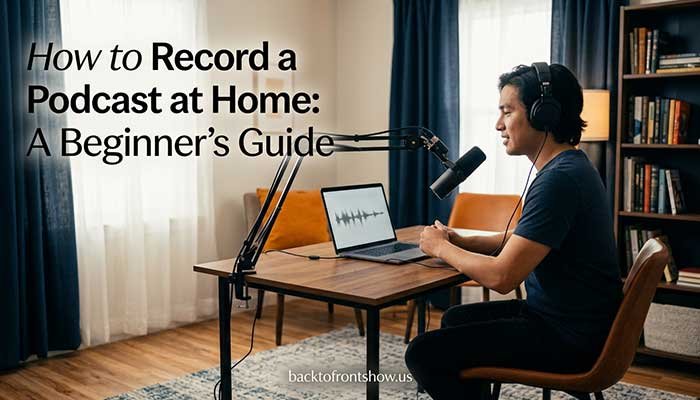
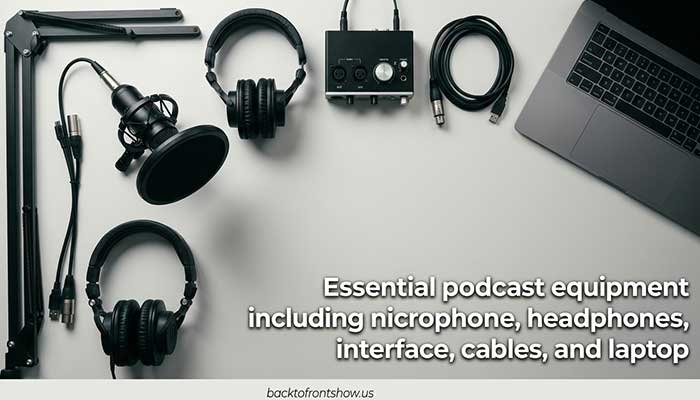
For most beginners, the essential podcast equipment is surprisingly simple: a good microphone, headphones, a computer or recording device, recording software, and a stable way to position the microphone.
If you’re using an XLR microphone, you’ll normally also need an audio interface or podcast mixer.
The important part isn’t buying the most expensive equipment. It’s building a setup that matches how many people you’re recording, where you’re recording, and how much control you want over the sound.
I’ve found that beginners often spend too much time comparing gear and not enough time thinking about their recording environment. A $400 microphone in a noisy, echo-heavy room can easily produce worse results than a much cheaper dynamic microphone used correctly.
This guide breaks down the podcast equipment you actually need, where it makes sense to spend more, and how to build a setup that can grow with your podcast.
What Equipment Do You Need for a Podcast?
A basic podcast setup usually includes:
| Equipment | Is It Essential? | What It Does |
|---|---|---|
| Microphone | Yes | Captures your voice |
| Headphones | Highly recommended | Helps you monitor recording quality |
| Computer or recorder | Yes | Records and stores your audio |
| Recording software | Yes | Captures and edits episodes |
| Mic stand or boom arm | Recommended | Keeps the microphone positioned correctly |
| Pop filter or windscreen | Recommended | Reduces harsh breath and “P” sounds |
| Audio interface | For most XLR mics | Connects the microphone to your computer |
| XLR cable | For XLR setups | Connects the mic to your interface or mixer |
| Podcast mixer/recorder | Optional | Useful for multiple hosts and advanced setups |
| Acoustic treatment | Optional but useful | Helps reduce echo and room reflections |
A solo podcaster using a USB microphone may only need five or six pieces of equipment.
A four-person interview podcast could require four microphones, four headphones, several XLR cables, and a multi-input recorder or mixer.
That’s why there isn’t one perfect podcast setup for everyone.
Read More: BacktoFrontShow Pricing AtoZ Update 2026: Plans, Costs & Features
Podcast Microphone
Your microphone has the biggest direct impact on how your voice is captured.
For podcasting, you’ll mainly choose between:
- USB microphones
- XLR microphones
- microphones that support both USB and XLR
USB Microphones
A USB microphone connects directly to your computer.
This is usually the easiest option for beginners because you don’t need a separate audio interface.
A USB setup works particularly well when:
- you’re recording alone
- you want a simple desk setup
- you have a limited budget
- you don’t plan to connect several microphones at once
XLR Microphones
XLR microphones use the professional three-pin audio connection found in studios, mixers, and audio interfaces.
They usually make more sense if you want:
- multiple microphones
- more control over gain
- a dedicated audio interface
- an easier upgrade path
- a more traditional studio workflow
XLR itself doesn’t automatically mean better sound. A well-used USB microphone can sound excellent.
The bigger advantage is flexibility.
USB + XLR Microphones
Hybrid microphones can be a smart middle ground.
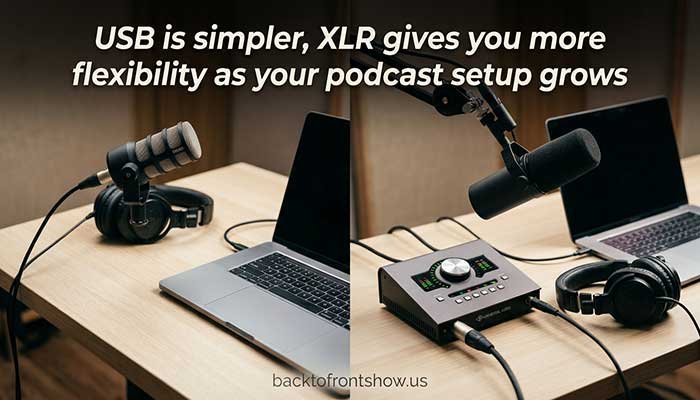
For example, the RØDE PodMic USB provides both USB-C and XLR connections. RØDE also includes a headphone output for zero-latency monitoring, onboard processing for its USB signal, and an internal pop filter and shockmount.
That means you could start by connecting the microphone directly to a laptop and later move to an XLR interface without replacing the microphone.
For many beginners, I think that kind of upgrade flexibility is more useful than buying advanced equipment immediately.
Dynamic vs. Condenser Microphones
You’ll also see microphones described as either dynamic or condenser.
Dynamic Microphones
Dynamic microphones are commonly used for podcasting because they tend to work well when the microphone is close to the speaker.
They can be especially practical in bedrooms, offices, and other untreated rooms.
Popular broadcast-style podcast microphones such as the Shure SM7B and RØDE PodMic USB are dynamic microphones. Shure lists the SM7B as a cardioid dynamic microphone with a 50 Hz–20 kHz frequency response.
Condenser Microphones
Condenser microphones can capture a lot of detail, but they may also capture more of your room.
That isn’t necessarily bad.
In a controlled recording space, a condenser microphone can sound excellent. In a noisy room with a computer fan, air conditioner, traffic, or strong wall reflections, however, that extra sensitivity can become frustrating.
For many home podcasters, I usually consider a dynamic microphone the safer starting point.
What About the Shure SM7B?
The Shure SM7B has become one of the most recognizable podcast microphones.
It is a professional dynamic microphone designed for speech, broadcasting, and studio recording. However, it is not automatically the best choice for every beginner.
Shure specifically notes that the SM7B performs best with a preamp capable of providing around +60 dB of gain.
That matters because buying the microphone is only part of the setup.
You also need an interface or preamp that can drive it properly.
If you’re just starting your first podcast, don’t assume you need an SM7B simply because you’ve seen it in professional studios. A simpler microphone can often give you everything you need.
Audio Interface
If you’re using a traditional XLR microphone, you’ll usually need an audio interface.
The interface sits between your microphone and computer.
Its job is to:
- provide microphone preamplification
- convert analog microphone audio into digital audio
- give you gain controls
- provide headphone monitoring
- send recorded audio into your computer
How Many Inputs Do You Need?
Think about how many people you’ll record locally.
Solo podcast:
One microphone input may be enough.
Two-person podcast:
Choose at least two microphone inputs.
Three or four people:
Consider a larger interface or a dedicated podcast recorder/mixer.
Buying an interface with eight inputs for a one-person podcast generally doesn’t make sense unless you already know you’ll expand.
Example: Focusrite Scarlett 2i2
The current fourth-generation Focusrite Scarlett 2i2 provides two microphone preamps, up to 69 dB of gain, Auto Gain, Clip Safe, USB-C connectivity, and recording up to 24-bit/192 kHz.
That makes it suitable for a solo host who wants room for expansion or a two-person podcast using XLR microphones.
Focusrite’s US site listed the Scarlett 2i2 at $224.99 when this article was researched, although equipment pricing can change.
The bigger lesson isn’t that you specifically need a Scarlett.
It’s that your interface should provide enough inputs and enough clean gain for the microphones you’re planning to use.
Podcast Mixer or Dedicated Recorder
An audio interface is not your only option.
For multi-person podcasts, remote interviews, portable recording, or live production, a dedicated podcast recorder can be easier.
These devices may combine:
- microphone inputs
- headphone outputs
- recording
- mixing
- sound pads
- phone or USB guest connections
- onboard processing
Example: Zoom PodTrak P4next
Zoom’s newer PodTrak P4next provides four XLR microphone inputs, up to +70 dB of gain, four independently controlled headphone outputs, onboard recording, sound pads, USB audio interface functionality, and individual track recording.
It also includes features aimed specifically at spoken-word production, including tone shaping, compression, and noise-reduction tools.
A device like this makes much more sense for a four-person roundtable than trying to connect several independent USB microphones to one computer.
The older PodTrak P4 is still supported in some regions and offered similar podcast-specific conveniences such as four headphone outputs and up to 70 dB of microphone gain.
For someone building a new setup today, I would compare the current-generation options before buying an older model simply because it appears in an old equipment guide.
Podcast Headphones
Headphones don’t usually improve the microphone signal itself, but they help you catch problems while recording.
Without headphones, you may not notice:
- background noise
- microphone distortion
- clothing rubbing against a mic
- cable problems
- unexpected computer sounds
- another speaker being too quiet
- microphone bleed
Closed-back headphones are usually the most practical choice for podcast recording.
They help reduce sound leaking from the headphones back into the microphone.
You don’t need extremely expensive audiophile headphones.
For recording, focus on:
- comfort
- isolation
- durability
- a reasonably neutral sound
- a cable long enough for your setup
If you’re recording several people, make sure your interface or mixer can provide enough headphone outputs—or use a headphone amplifier.
Mic Stand or Boom Arm
Holding your microphone in your hand throughout an episode is rarely a good idea.
Even a good microphone can capture:
- hand movement
- desk vibration
- accidental bumps
- inconsistent microphone distance
A desk stand is inexpensive and simple.
A boom arm gives you more control over microphone placement and usually keeps your workspace cleaner.
For example, Elgato’s Wave Mic Arm LP supports microphones and accessories weighing up to 4.4 pounds and provides a 29.1-inch horizontal reach. It also includes integrated cable channels.
The exact arm matters less than stability.
Your microphone shouldn’t slowly fall toward the desk during an interview.
Pop Filter or Windscreen
A pop filter helps control bursts of air from words containing sounds such as “P” and “B.”
These bursts can cause unpleasant low-frequency pops in your recording.
Some podcast microphones already include internal protection.
For example, RØDE lists an internal pop filter in the PodMic USB, while the Shure SM7B includes a standard windscreen plus an additional A7WS windscreen for close speech applications.
Even with a pop filter, microphone technique still matters.
Try positioning the microphone slightly off-axis instead of pointing it directly at your mouth.
XLR and USB Cables
Cables aren’t exciting, but they’re essential.
For a traditional XLR setup, each microphone needs an XLR cable running to the interface or mixer.
For a USB microphone or interface, you’ll also need the appropriate USB connection for your computer.
Before ordering equipment, check:
- which cable is included
- USB-A vs. USB-C connections
- cable length
- whether adapters are required
- how many XLR cables you actually need
A surprisingly common beginner mistake is buying a microphone and assuming every required cable is included.
Computer or Standalone Recorder
You don’t need a high-end editing workstation to record a basic podcast.
A reasonably modern Windows PC or Mac is usually enough for straightforward spoken-word recording and editing.
The computer becomes more important if you’re also:
- recording multiple video feeds
- livestreaming
- using complex audio processing
- running many plugins
- editing long multi-camera episodes
You can also record without a computer by using a standalone podcast recorder.
That can be useful for:
- travel podcasts
- in-person interviews
- live events
- portable setups
- reducing reliance on computer software
Podcast Recording and Editing Software
Hardware is only half of your podcast recording setup.
You’ll also need software to record, edit, and export your episode unless your standalone recorder handles the recording stage.
Podcast editing software can help you:
- remove mistakes
- cut long pauses
- balance speakers
- reduce unwanted noise
- add music or intros
- adjust loudness
- export the finished episode
Beginners shouldn’t feel pressured to buy expensive software immediately.
The best editing software is often the one you understand well enough to use consistently.
Learning microphone technique and basic editing will usually improve a new podcast more than switching between five different audio applications.
Acoustic Treatment
A better microphone won’t completely fix a bad room.
Hard walls, bare floors, windows, and empty spaces can produce reflections and echo.
Before spending hundreds of dollars on acoustic products, try simple improvements:
- record in a smaller room
- add rugs
- use curtains
- move away from bare walls
- place soft furniture around the recording area
- close windows and doors
- turn off noisy appliances when possible
Don’t confuse acoustic treatment with soundproofing.
Acoustic treatment reduces reflections inside the room.
Soundproofing attempts to prevent sound from entering or leaving the room and is usually much more difficult and expensive.
This is one area where I’ve found simple changes can make a bigger difference than beginners expect. Moving a microphone closer to your mouth and recording in a softer room can sometimes improve clarity more than replacing your entire setup.
Best Podcast Equipment Setup for Beginners
For most solo beginners, I would keep things simple.
Beginner USB Setup
You need:
- one USB dynamic microphone
- closed-back headphones
- desk stand or boom arm
- computer
- recording/editing software
This setup avoids the interface entirely.
It’s easy to troubleshoot and easy to upgrade later.
Beginner XLR Setup
You need:
- one dynamic XLR microphone
- one-input or two-input audio interface
- XLR cable
- headphones
- stand or boom arm
- computer
- recording/editing software
This costs more and involves more equipment, but it gives you a clearer upgrade path.
Two-Person Podcast Setup
For two hosts recording in the same room, I would normally prefer:
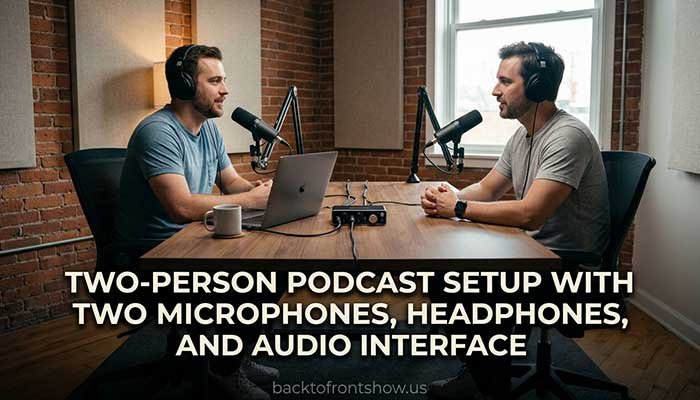
- two XLR dynamic microphones
- two microphone stands or boom arms
- two XLR cables
- two pairs of headphones
- a two-input audio interface or podcast recorder
- computer or standalone recorder
- editing software
Using two separate USB microphones can work, but multi-USB configurations can create routing and synchronization complications.
A shared XLR interface is usually cleaner.
Four-Person Podcast Setup
For a four-person show, look for:
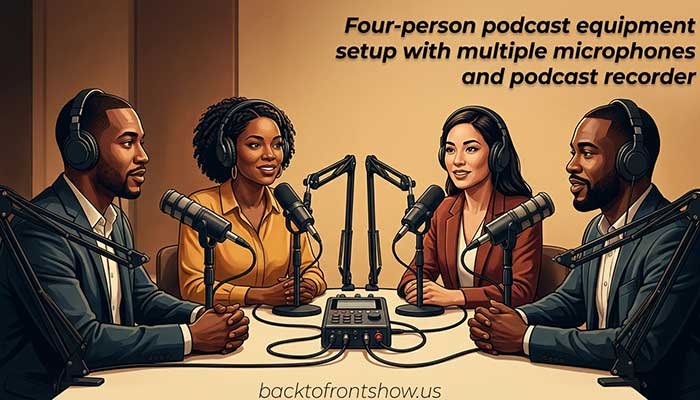
- four XLR microphones
- four stands or arms
- four XLR cables
- four pairs of headphones
- a four-input podcast recorder or mixer
- multitrack recording capability
This is where a dedicated podcast recorder becomes especially attractive.
A device with four separate headphone outputs also means each participant can monitor the conversation comfortably.
Video Podcast Equipment
A video podcast needs everything required for audio, plus video equipment.
A basic video podcast setup may include:
- podcast microphones
- audio interface or mixer
- headphones
- cameras
- tripods
- lighting
- memory cards or capture devices
- video recording or streaming software
Don’t sacrifice audio quality just because you’re adding cameras.
Viewers may tolerate an average camera angle.
They are much less likely to tolerate noisy, distorted, or difficult-to-understand speech.
For a first video podcast, I’d rather use one good camera angle with clean audio than three cameras with poor microphones.
How Much Should You Spend on Podcast Equipment?
There is no fixed amount.
Think about your setup in levels rather than chasing a specific dollar figure.
Basic Setup
Best for:
- new podcasters
- solo shows
- hobby podcasts
- testing an idea
Prioritize the microphone, headphones, and recording environment.
Mid-Range Setup
Best for:
- consistent weekly shows
- interview podcasts
- two-person productions
- creators planning to grow
This is where an XLR interface, better mounting, and improved monitoring start making sense.
Advanced Setup
Best for:
- multi-person shows
- professional studios
- video podcasts
- livestreaming
- productions requiring fast workflows
You may add a dedicated mixer/recorder, multiple microphones, multiple headphone feeds, acoustic treatment, lighting, and cameras.
Don’t buy an advanced studio on day one unless you actually need it.
It’s much easier to upgrade after you’ve recorded enough episodes to understand what is limiting you.
Podcast Equipment Buying Checklist
Before buying anything, answer these questions:
How many people will record in the same room?
This determines how many microphone inputs and headphone outputs you need.
Where will you record?
An untreated bedroom and a controlled studio may benefit from different microphone choices.
Do you want USB or XLR?
USB is simpler.
XLR is generally more expandable.
Will you record remote guests?
Look for software or hardware that makes remote audio routing manageable.
Will you record video?
Make sure your audio and video workflow can stay synchronized.
Will you travel?
Portable recorders and compact microphones may be more practical than a large desk-based setup.
Can your interface power your microphone properly?
This is especially important with gain-hungry dynamic microphones.
The Shure SM7B, for example, is specified by Shure as working best with approximately +60 dB of available preamp gain.
What is your realistic budget?
Budget for the whole recording chain—not just the microphone.
You may also need:
- cables
- stands
- adapters
- headphones
- storage
- software
- memory cards
Common Podcast Equipment Mistakes
Buying Based on Appearance
A microphone that looks professional isn’t automatically right for your room or workflow.
Spending Everything on the Microphone
A great microphone with no stand, poor headphones, and a noisy environment isn’t a balanced setup.
Ignoring the Room
Room acoustics can dramatically affect your recording.
Buying Too Many Features
If you’re recording one person, you probably don’t need a large eight-input mixer.
Buying Too Few Inputs
On the other hand, don’t buy a one-input interface if you already know you’ll regularly record a co-host.
Assuming Expensive Means Better for You
The “best” podcast gear depends on your specific use case.
A $100–$200 microphone that fits your room and workflow may be a much smarter choice than a famous premium broadcast microphone.
Upgrading Before Learning Technique
Get comfortable with:
- microphone distance
- gain setting
- headphone monitoring
- room noise
- editing
before assuming your equipment is the problem.
My Practical Recommendation
If you’re starting your first podcast, build the smallest setup that solves your current problem.
For a solo show, that may be a quality USB dynamic microphone, headphones, a boom arm, and your existing computer.
For two people, I would lean toward two XLR microphones and a two-input interface.
For three or four local speakers, a dedicated podcast recorder or mixer with enough XLR inputs and headphone outputs becomes much more practical.
What I’ve learned is that podcast equipment should make recording easier—not give you more technical problems to manage.
Start simple, learn your workflow, and upgrade when you can clearly explain what the new piece of equipment will improve.
FAQs:
Sources
Shure — SM7B Product Information
Official specifications and gain guidance for the SM7B.
Shure SM7B official page
RØDE — PodMic USB
Official information about USB/XLR connectivity, headphone monitoring, internal pop filtering, shockmounting, and onboard processing.
RØDE PodMic USB official page
Focusrite — Scarlett 2i2 4th Generation
Official information about microphone preamps, gain range, connectivity, recording resolution, and current US pricing at the time of research.
Focusrite Scarlett 2i2 official page
Zoom — PodTrak P4next
Official information about microphone inputs, headphone monitoring, onboard recording, USB connectivity, processing, and podcast-specific features.
Zoom PodTrak P4next official page
Elgato — Wave Mic Arm LP
Official specifications for microphone compatibility, maximum load, reach, and cable management.
Elgato Wave Mic Arm LP official page
Product features, availability, and prices can change. Check the manufacturer’s current US product page before purchasing.