Podcast SEO helps people discover your podcast through search engines and listening platforms without relying entirely on paid advertising.
The process involves choosing topics people search for, writing clear podcast titles and descriptions, optimizing episode pages, and making your content easier to discover on platforms such as Google, Spotify, Apple Podcasts, and YouTube.
The good news? You don’t need an expensive SEO tool or a large audience to get started.
Even small podcasts can improve their visibility by focusing on specific listener questions and publishing content that answers them.
However, getting discovered in a podcast app and driving visitors to your website are two different goals. Understanding that distinction is important because each platform measures success differently.
In this guide, I’ll explain how podcast SEO works, share 12 practical optimization strategies, and show you how to measure results so you’re not guessing whether your efforts are working.
What Is Podcast SEO?
Podcast SEO (search engine optimization) is the process of improving your podcast’s visibility in search results.
It focuses on helping potential listeners find your show, individual episodes, and related website content when they’re searching for information.
For example, imagine someone searches Google for “how to start a personal finance podcast.”
If you’ve published a helpful episode about that topic, along with an optimized webpage explaining the key steps, your content may have an opportunity to appear in relevant search results.
Similarly, someone searching for personal finance podcast episodes inside a listening app may discover your show through its title, episode metadata, or other platform signals.
Podcast search optimization generally involves three areas:
| SEO Area | Where It Works | Main Goal |
|---|---|---|
| Website SEO | Google and other search engines | Attract visitors to your podcast website |
| Podcast platform optimization | Apple Podcasts, Spotify, and other podcast apps | Help potential listeners discover your show |
| YouTube SEO | YouTube and potentially Google Search | Improve the visibility of podcast videos |
These areas overlap, but they don’t operate through identical ranking systems.
For instance, Apple Podcasts identifies metadata, popularity, and user behavior among the factors involved in its search experience. Google uses its own systems to evaluate webpages and their relevance to search queries.
That’s why effective podcast SEO requires more than simply repeating your podcast’s main keyword.
Read More: Podcast SEO: How to Get More Organic Traffic
Why Is Podcast SEO Important?
Publishing a podcast doesn’t automatically mean people will discover it.
You might create valuable episodes, interview knowledgeable guests, and maintain a consistent schedule. But if your episode titles don’t communicate what your content covers, potential listeners may never realize it’s relevant to them.
SEO gives your existing content more opportunities to reach the right audience.
It helps new listeners discover your podcast
People search for advice, answers, entertainment, and recommendations every day.
A podcast about running might publish episodes about marathon training, choosing running shoes, or preventing common training mistakes.
Each episode addresses a different potential search query.
When your episode metadata and supporting webpages clearly explain these topics, people have more ways to discover your content.
It can generate traffic beyond your release date
Social media posts often need repeated promotion to maintain visibility.
Search-focused content can remain relevant after publication, particularly when it answers an evergreen question.
For example, a helpful guide about choosing a podcast microphone may continue attracting interested readers long after the accompanying episode is released.
That doesn’t guarantee rankings or ongoing traffic. Competition, content quality, search demand, and changes in search results still matter.
It helps attract a more relevant audience
Getting thousands of random visitors isn’t necessarily valuable.
A smaller audience actively looking for your podcast’s subject matter may be more likely to listen, subscribe, or explore additional episodes.
For that reason, I recommend thinking about search intent before search volume.
A keyword is useful when it connects your content with people who actually want what your podcast offers.
How Does Podcast SEO Work?
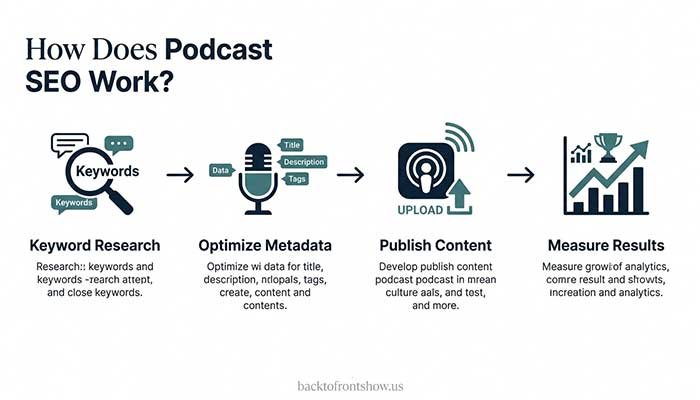
Podcast SEO works by helping search platforms understand what your content is about and why someone might find it useful.
However, Google, Apple Podcasts, Spotify, and YouTube don’t all evaluate content in the same way.
Understanding their differences can help you focus your efforts.
Google Search
Google primarily discovers and evaluates web content.
If your podcast has a website, you can create dedicated episode pages containing useful written information, relevant headings, transcripts, and embedded audio or video.
Google recommends using the words people search for in descriptive locations such as page titles and main headings. It also emphasizes helpful, reliable content created for people rather than search rankings.
Apple Podcasts
Apple Podcasts allows listeners to search for shows, episodes, and channels.
According to Apple’s official documentation, its search system considers factors including:
- Metadata, such as show names and episode titles
- Popularity, including followers and plays
- User behavior, such as listening and following activity
Apple also considers how well results match the search query.
This means descriptive metadata matters, but keywords alone don’t determine where your show appears.
Spotify
Spotify provides episode descriptions, show information, and discovery features that help listeners explore content.
Creators can manage their episode descriptions through Spotify for Creators or, depending on their hosting setup, through their RSS feed.
Spotify also provides episode-level discovery analytics, including impressions and information about where episodes were discovered within Spotify.
Your goal should be to make every episode understandable and appealing to its intended listener, not to assume that adding more keywords will automatically improve rankings.
YouTube
YouTube handles podcasts differently from traditional audio listening platforms.
A podcast show on YouTube is organized as a playlist, and its episodes are videos within that playlist.
YouTube recommends using a consistent show name, providing a detailed podcast description, and keeping full-length episodes together rather than mixing them with clips.
If you publish podcast videos, YouTube offers another opportunity for people to discover your content through search and recommendations.
12 Practical Podcast SEO Tips to Get More Organic Traffic
The following strategies cover podcast metadata, website optimization, content planning, and performance tracking.
You don’t have to implement everything immediately. Start with the improvements that solve your podcast’s biggest discoverability problems.
1. Find Podcast Keywords Your Audience Actually Searches For
Podcast keyword research starts with understanding your audience’s questions.
Instead of choosing keywords simply because they sound popular, think about the problems listeners want to solve.
Suppose you host a podcast about personal finance.
Your audience might search for:
- How to create a monthly budget
- How to pay off credit card debt
- How much money to save for emergencies
- How to start investing with little money
Each question could become an episode topic.
How to find podcast keywords
Start with Google Search.
Type a broad phrase related to your niche and examine the autocomplete suggestions.
Then review relevant search results to understand what kind of content people expect.
You can also explore YouTube search suggestions and search directly within podcast platforms to see how similar topics are presented.
For additional research, tools such as Google Trends and Google Keyword Planner can help you explore topic interest and related terminology.
Useful resources include:
- trends.google.com
- ads.google.com
- search.google.com
Remember that Google search demand doesn’t necessarily equal podcast listening demand.
A topic may be popular in Google Search without generating an equivalent number of searches inside Spotify or Apple Podcasts.
Choose specific keywords first
Broad keywords can be difficult to target effectively.
For example:
| Broad Topic | More Specific Keyword | Potential Episode Topic |
|---|---|---|
| Podcasting | How to record a podcast remotely | Remote recording equipment and workflow |
| Personal finance | How to budget on an irregular income | Budgeting for freelancers |
| Fitness | Beginner strength training at home | A simple home workout routine |
| Marketing | How to promote a podcast without social media | Alternative podcast promotion methods |
These are illustrative keyword ideas, not verified search-volume estimates.
The more precisely an episode addresses a listener’s question, the easier it becomes to create a relevant title, description, and supporting webpage.
2. Write Clear, Search-Friendly Podcast Titles
Your podcast title helps people understand what your show is about.
A good title should be memorable, relevant, and easy to recognize.
However, adding several keywords to your show name isn’t necessarily helpful.
Consider these hypothetical titles:
Too generic: The Weekly Show
Too keyword-heavy: Personal Finance Podcast Budgeting Saving Money Investing Financial Advice
Clearer: Money Made Simple
The third example works as a recognizable brand name, although it still needs a descriptive show summary to explain the podcast’s focus.
You should also check whether a potential show name is already being used before adopting it.
Should you put keywords in your podcast name?
Only when they fit naturally.
If your podcast is about running, a name such as “The Beginner Running Podcast” may communicate its subject clearly.
But don’t rename an established show just to insert a keyword.
YouTube specifically recommends using your existing podcast show name rather than adding unnecessary extra words to its podcast title.
Consistency across platforms can also make it easier for listeners to recognize your show.
3. Optimize Every Episode Title
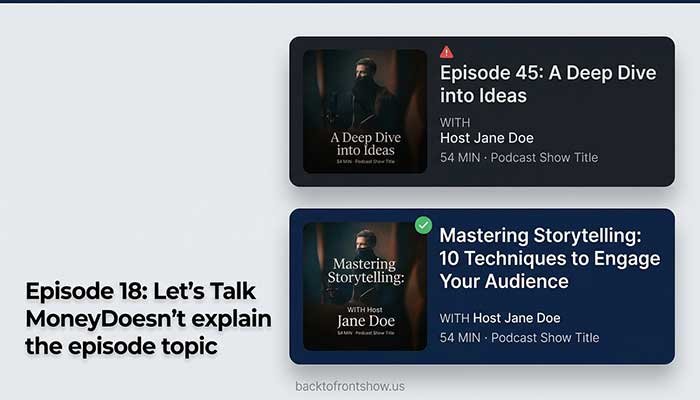
Individual episode titles provide opportunities to describe specific topics.
A good episode title should tell someone what they’ll learn or why they should listen.
Avoid relying entirely on episode numbers, vague phrases, or clever wording that hides the subject.
For example:
| Weak Episode Title | Better Episode Title |
|---|---|
| Episode 18: Let’s Talk Money | How to Build Your First Monthly Budget |
| My Thoughts on Podcasting | 7 Common Podcast Recording Mistakes |
| Special Guest Interview | How Freelancers Can Find Their First Clients |
| Fitness Talk #12 | Beginner Strength Training: Where to Start |
The stronger examples communicate clear subjects and potential listener benefits.
How to write better podcast episode titles
Start by identifying the main question your episode answers.
Then write a title that reflects the actual conversation.
For example, if an episode explains how to reduce background noise, you might use:
“How to Reduce Background Noise in Podcast Recordings”
This is more informative than “Audio Tips You Need to Know.”
Don’t promise results the episode doesn’t actually deliver.
A title should attract the right listeners, not merely generate curiosity.
4. Write Podcast Descriptions That Explain the Value
Podcast descriptions provide additional context about your show and episodes.
A show description should explain the podcast’s subject, intended audience, and the kind of content listeners can expect.
For example, imagine a podcast about building a small business.
Weak description:
“Welcome to our podcast! We talk about business, success, and many interesting topics.”
Improved description:
“Starting a small business? This weekly podcast explores practical marketing ideas, customer acquisition, budgeting, and everyday challenges faced by small business owners.”
The improved version gives listeners a clearer reason to explore the show.
What should an episode description include?
A helpful episode description can contain:
- A short summary of the main topic
- The specific questions answered
- Important topics or takeaways
- Relevant guest information
- Useful resources mentioned in the episode
- A clear next step for interested listeners
Here’s a hypothetical example.
Episode title: How to Start a Podcast on a Budget
Episode description:
“Want to start a podcast without spending hundreds of dollars? In this episode, we discuss affordable microphones, beginner-friendly recording software, quiet recording spaces, and simple ways to improve your audio quality.
You’ll also learn which equipment upgrades can wait until your podcast begins growing.”
Notice how the description uses relevant words naturally.
It doesn’t repeat “budget podcast equipment” unnecessarily.
Spotify supports formatted episode descriptions, including links and lists, although formatting can display differently across listening platforms.
5. Create a Dedicated Website for Your Podcast
A podcast website gives you greater control over how your content appears on the web.
Podcast platforms provide useful discovery opportunities, but a website allows you to publish additional written content around your episodes.
You can create:
- A homepage explaining your podcast
- A page for each episode
- An archive of previous episodes
- Detailed transcripts
- Helpful articles related to your podcast’s niche
- An About page introducing the host
For example, a podcast episode titled “How to Choose Your First Podcast Microphone” could have a companion webpage.
That page might explain microphone types, recording environments, buying considerations, and common mistakes.
The goal isn’t to create a large amount of text around every episode.
It’s to publish information that genuinely helps visitors.
Make your website easy to navigate
Use simple menus, readable text, descriptive page titles, and layouts that work well on phones.
If you use WordPress, you can manage episode pages much like other website content.
An SEO plugin may help you edit metadata and manage some technical settings, but installing a plugin doesn’t guarantee better rankings.
Google’s Search Essentials emphasizes helpful content, descriptive wording, crawlable links, and understandable page content.
6. Publish Useful Podcast Show Notes
Show notes summarize what an episode covers.
They’re particularly valuable for listeners who want to review key points, find a resource, or decide whether the episode answers their question.
For website SEO, well-written show notes can also provide useful written context around audio content.
However, copying the same generic summary onto every episode page doesn’t offer much value.
A practical show notes structure
Imagine an episode about recording a podcast remotely.
Your show notes could contain:
Episode summary: A short explanation of the episode and its intended audience.
Key topics: Microphone setup, remote recording software, internet connection considerations, and recording backups.
Important takeaways: Practical recommendations listeners can apply.
Resources: Relevant tools and official documentation mentioned in the conversation.
Listen to the episode: An embedded player or accessible listening link.
This helps visitors understand the episode before committing to a full listen.
You don’t need to use identical headings every time. Adjust the structure to fit the episode.
7. Add Accurate Transcripts to Important Episodes
A podcast transcript is a written version of an episode’s spoken content.
Transcripts can make podcast content more accessible and provide a written reference for listeners.
They may also help search engines understand the topics discussed on a webpage when the text is accessible and indexable.
However, adding a transcript doesn’t guarantee higher rankings.
How to create a useful podcast transcript
Start with an automatic transcription tool or your recording platform’s transcription feature.
Then review the text carefully.
Correct mistakes involving:
- Guest names
- Technical terminology
- Product names
- Numbers
- Important statements
- Speaker identification
Add meaningful headings when they improve readability.
For long episodes, consider pairing the full transcript with a shorter summary that highlights the most useful information.
Should every episode have a transcript?
Not necessarily.
If you have limited time, begin with your most important evergreen episodes.
A detailed interview, educational tutorial, or technical discussion may benefit more from a transcript than a short announcement.
I generally recommend prioritizing transcript accuracy and readability over publishing large quantities of unedited text.
An inaccurate transcript can confuse readers and misrepresent what someone said.
Read More: How to Get Your First 100 Podcast Listeners: 10 Practical Steps
8. Optimize Your Podcast for Apple Podcasts and Spotify
Podcast discoverability doesn’t stop at your website.
Your listing on listening platforms should give potential listeners a clear understanding of your show.
Start by reviewing your podcast’s basic metadata.
Apple Podcasts optimization
Check that your:
- Show title is accurate and consistent
- Show description clearly identifies your subject
- Episode titles describe their content
- Podcast category is appropriate
- Artwork is recognizable and professional
- RSS feed information is accurate
Apple says accurate metadata helps shows appear in relevant searches and attract listeners.
For RSS-based podcasts, creators can generally update metadata through their hosting provider. Apple reports that metadata updates are typically reflected within 24 hours, although problems or delays can occur.
Spotify optimization
For Spotify, focus on clear show information and useful episode descriptions.
Make sure each description accurately represents what listeners will hear.
Use formatting, links, and lists where they add value.
Review episode analytics to understand which topics are connecting with your audience.
It’s important not to assume that the same optimization produces identical outcomes across different podcast apps.
Each platform has its own discovery experience.
9. Use YouTube to Expand Podcast Discoverability
YouTube can be valuable for podcasts because it combines video publishing, search, recommendations, and podcast-specific features.
You don’t necessarily need an elaborate studio setup to begin experimenting with podcast video.
Depending on your format, you might publish full video conversations or use another format supported by your YouTube workflow.
Set up your podcast properly
YouTube identifies a podcast as a playlist containing the show’s episodes.
Its official recommendations include:
- Keeping full-length episodes together
- Using the same podcast show name
- Adding a detailed show description
- Avoiding unrelated videos inside the podcast playlist
- Keeping clips separate from full episodes
These practices help maintain an organized listening experience.
Make video episode titles descriptive
Suppose you record an interview about email marketing.
Instead of:
“Episode 32 With Alex”
Consider:
“How to Build an Email List for a Small Business”
You can still include the guest’s name when it’s useful, particularly if the guest is relevant to the audience.
Add a description that explains the conversation and provides helpful resources.
For longer episodes, timestamps can make navigating the conversation easier.
Google also documents how YouTube timestamps can help identify important video moments in eligible search experiences.
Keep expectations realistic
YouTube visibility can increase content discovery, but people watching a podcast episode on YouTube won’t necessarily visit your website or follow the audio version.
Measure those outcomes separately.
10. Make Your Podcast Website Search-Engine Friendly
Good content is important, but your website also needs to be accessible to search engines.
You don’t need to become a technical SEO specialist to address the basics.
Start with these areas.
Use descriptive URLs
A webpage about podcast microphones could use:
example.com/best-podcast-microphones
This is easier to understand than an address containing an unclear string of numbers.
If an existing page already attracts visitors, avoid changing its URL without a clear reason and a proper redirect plan.
Write helpful page titles and headings
Each episode webpage should have a descriptive page title and a main heading that accurately represents its content.
For example:
Page title: How to Record a Podcast Remotely: Beginner Guide
Main heading: How to Record a Podcast Remotely
The wording doesn’t have to be identical, but the subject should remain consistent.
Make pages mobile-friendly
Visitors should be able to read your show notes, use the audio player, and navigate your site without unnecessary difficulty on a phone.
Test important pages on mobile devices.
Pay attention to readability, page loading behavior, and whether embedded players work correctly.
Check indexing
Set up Google Search Console and inspect important episode URLs.
Check whether Google can access the pages and whether indexing issues need attention.
Remember that indexing simply means Google has added a page to its search index. It doesn’t guarantee that the page will appear prominently in search results.
Use structured data carefully
Structured data can provide search engines with additional machine-readable information about content.
However, adding schema markup doesn’t automatically produce special search-result features.
Google maintains documentation describing supported structured data types and their requirements.
If you publish podcast videos on your website, Google’s video SEO guidance may be relevant.
Avoid assuming that adding arbitrary podcast schema will produce a special Google podcast result.
11. Build Search-Focused Content Around Your Podcast Episodes
One of the most useful podcast SEO strategies is turning valuable episode topics into standalone website resources.
But that doesn’t mean copying a transcript, adding a few headings, and calling it a blog post.
A strong companion article should be useful even to someone who hasn’t listened to your podcast.
For example, imagine you host a podcast about freelance writing.
You publish an episode called:
“How to Find Your First Freelance Writing Client”
You could create a related article covering:
- Where beginners can look for opportunities
- How to prepare writing samples
- How to write an introductory pitch
- Common outreach mistakes
- How to organize prospective clients
The article could include practical examples and a short introduction to the related podcast episode.
This gives visitors the option to read, listen, or do both.
Focus on genuine additional value
Google’s guidance emphasizes original information, useful explanations, and content that meets readers’ needs rather than pages created mainly to attract search traffic.
Your article should add value through examples, explanations, comparisons, or resources.
If the podcast episode already contains everything the reader needs, a clear summary and transcript may be sufficient.
There’s no benefit in creating a nearly identical article simply to publish another page.
12. Measure Your Podcast SEO Results and Keep Improving
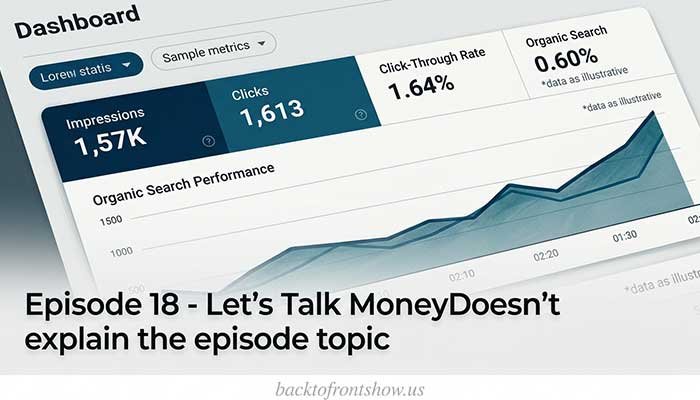
SEO is difficult to improve when you don’t know what’s working.
The most useful approach is to measure website performance and podcast listening performance separately.
Track website organic traffic
Google Search Console helps you understand how your website appears in Google Search.
Its Performance report provides metrics such as clicks, impressions, click-through rate, and average position.
You can also review individual pages and search queries.
Here’s how to interpret those metrics.
| Metric | What It Tells You | What to Investigate |
|---|---|---|
| Impressions | How often your content appeared in search results | Whether Google is showing the page for relevant queries |
| Clicks | How often searchers clicked your result | Whether organic traffic is increasing |
| CTR | The percentage of impressions that resulted in clicks | Whether your title and result appearance attract relevant visitors |
| Average position | Your average search-result position | How visibility changes over time |
For a podcast targeting US listeners, you can filter Search Console data by country to examine performance in the United States.
Track podcast discovery and listening
Website clicks don’t tell you how many people actually listened to your podcast.
Use available analytics from your podcast hosting provider and listening platforms.
Spotify for Creators, for example, provides episode-level performance, audience, and discovery information. Available metrics depend on the content and analytics context.
Track indicators such as:
- Episode plays or starts
- Listening and engagement metrics
- Follows
- Discovery impressions
- Website visitors clicking listening links
Don’t treat these numbers as interchangeable.
A Google impression, a website click, and a podcast play measure different actions.
Example: How to identify an SEO problem
Imagine your podcast website has the following hypothetical Google Search Console results for one episode page.
HYPOTHETICAL EPISODE PAGE PERFORMANCE · 30 DAYS
Impressions
5,000
Clicks
75
CTR
1.5%
Potential next step
Review the search queries and compare your page title with the actual information people are looking for.
These numbers don’t automatically prove that your title is the problem.
Low CTR can also reflect search intent, competing results, query types, or where the page appears.
Start by investigating the queries generating impressions.
If the page answers those queries well but its title is vague, consider improving the title to describe the content more accurately.
Then monitor the results over a meaningful period rather than expecting immediate changes.
Common Podcast SEO Mistakes to Avoid
Even useful podcasts can struggle with search visibility when their content is difficult to understand or poorly presented.
Here are several mistakes worth checking.
Keyword stuffing
Repeating the same keyword throughout your title and description doesn’t make your content more useful.
Write naturally and use related terminology only when it helps explain the topic.
Publishing vague episode titles
Titles such as “Our Latest Conversation” don’t provide enough information for someone unfamiliar with your show.
Make the subject clear.
Ignoring episode descriptions
A blank or generic description misses an opportunity to help listeners understand your episode.
Write a unique summary for important episodes.
Publishing unedited transcripts
Automatic transcription can produce mistakes.
Review transcripts for accuracy before publishing, especially when episodes involve technical information.
Targeting topics unrelated to your podcast
A trending keyword won’t necessarily bring a useful audience.
Choose topics that fit your podcast’s actual purpose.
Focusing only on Google rankings
Your website might gain organic traffic without increasing podcast listening.
Consider the entire listener journey, including what happens after someone visits a page.
Expecting immediate results
Search traffic can take time to develop, and improvements aren’t guaranteed.
Review trends across a reasonable period, continue publishing useful content, and adjust your approach based on evidence.
A Simple 30-Day Podcast SEO Plan for Beginners
If you’re not sure where to begin, use this plan to improve an existing podcast without attempting everything at once.
30-Day Action Checklist
0/16 completed
Week 1: Research and auditIdentify five relevant listener questionsReview your podcast title and show descriptionCheck five existing episode titlesFind your most useful evergreen episodes
Week 2: Improve metadataRewrite unclear episode titlesUpdate incomplete episode descriptionsCheck Apple Podcasts and Spotify listingsConfirm show information is consistent
Week 3: Improve website contentCreate or improve two episode webpagesAdd helpful show notes and accurate transcriptsCheck mobile usability and indexingAdd accessible podcast listening options
Week 4: Measure and refineReview Google Search Console queriesExamine podcast discovery analyticsIdentify pages and episodes worth improvingPlan your next four search-focused topics
Reset checklist
The goal isn’t to finish 30 days with a certain number of rankings or downloads.
It’s to build a repeatable workflow for creating searchable episodes and improving content based on actual audience needs.
How Long Does Podcast SEO Take to Work?
There’s no reliable universal timeline for podcast SEO results.
Some improvements, such as correcting unclear metadata, may become visible on podcast platforms relatively quickly.
Apple states that podcast metadata updates generally appear within 24 hours after being processed.
However, Google rankings and organic website traffic depend on additional factors, including competition, indexing, content usefulness, and search demand.
New websites may need considerable time to establish visibility.
Rather than expecting meaningful growth within a fixed number of weeks, focus on tracking changes over time.
Check whether your pages are being indexed, which queries they appear for, and whether relevant visitors are discovering your content.
Most importantly, avoid changing titles repeatedly based on just a few days of data.
FAQs:
Final Thoughts
Podcast SEO works best when you make your content easier for real people to find, understand, and enjoy.
Start with the fundamentals: choose relevant topics, write descriptive titles, create helpful episode descriptions, and publish accessible content on your website.
Then use platform-specific best practices to improve how your podcast is presented across Apple Podcasts, Spotify, and YouTube.
If you’re starting from scratch, my recommendation is to optimize a handful of your strongest evergreen episodes before trying to update your entire catalog.
You’ll have a more manageable process and a clearer way to evaluate what works.
Remember that organic traffic is only part of the picture.
The real goal is to connect your podcast with listeners who find your content valuable enough to keep coming back.