The best podcast editing software for most podcasters is Descript because it lets you edit spoken audio by editing a transcript, while also providing tools for filler-word removal, audio cleanup, clips, and video.
But it isn’t the best choice for everyone.
If you want completely free podcast editing software, Audacity is one of the strongest options. If you want detailed professional audio control, Adobe Audition is a better fit. Riverside makes more sense when recording remote interviews and editing them are both part of your workflow.
For Mac users who want traditional multitrack production, Logic Pro is exceptionally capable, while GarageBand gives beginners a simpler starting point.
Here is the short version.
| Software | Best For | Starting Price* | Main Strength |
|---|---|---|---|
| Descript | Most podcasters | Free | Text-based and AI-assisted editing |
| Audacity | Best free desktop editor | Free | Powerful traditional audio editing |
| Adobe Audition | Professional audio editing | $22.99/month | Precision editing and restoration |
| Riverside | Remote interview podcasts | Free | Recording and editing in one platform |
| Alitu | Beginners wanting simplicity | $38/month | Automates much of podcast production |
| REAPER | Value-focused advanced users | $60 license | Flexible multitrack production |
| Logic Pro | Mac-based advanced production | $199.99 one-time | Powerful professional audio workflow |
| GarageBand | Mac beginners | Free | Accessible multitrack editing |
*Pricing was checked in October 2026 and can change. Annual billing, promotions, taxes, eligibility, or different plan tiers can affect the amount you actually pay.
In my experience, choosing podcast software based only on the longest feature list usually makes editing harder, not easier. The right editor is the one that removes the biggest bottleneck in your production process.
If you spend hours cutting mistakes out of conversations, transcript-based editing could save you the most effort. If sound design and detailed audio processing matter more, a traditional digital audio workstation may be the better choice.
Read More: Riverside vs Zencastr: Which Podcast Recorder Is Better?
What Should Podcast Editing Software Actually Do?
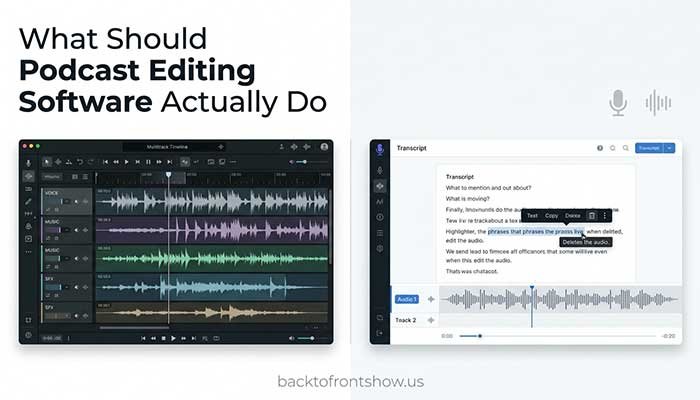
A good podcast editor should make it easy to complete the tasks you perform on almost every episode:
- Cut mistakes and unwanted sections
- Rearrange clips
- Adjust volume
- Balance multiple speakers
- Reduce background noise
- Apply compression and EQ when needed
- Add an intro, outro, music, or advertisements
- Remove or shorten long pauses
- Export a finished audio file reliably
More advanced tools may also offer transcription, automatic filler-word removal, AI audio enhancement, video editing, remote recording, captions, social clips, and publishing.
You don’t necessarily need all of those features.
A simple interview podcast may need little more than clean cuts, level adjustment, and noise reduction. A highly produced narrative show may require dozens of tracks, automation, detailed EQ, sound effects, and precise mixing.
That difference should drive your software choice.
Best Podcast Editing Software Compared
1. Descript — Best Podcast Editing Software for Most Podcasters
Best for: Podcasters who want fast, transcript-based audio and video editing
Descript approaches podcast editing differently from a traditional waveform editor.
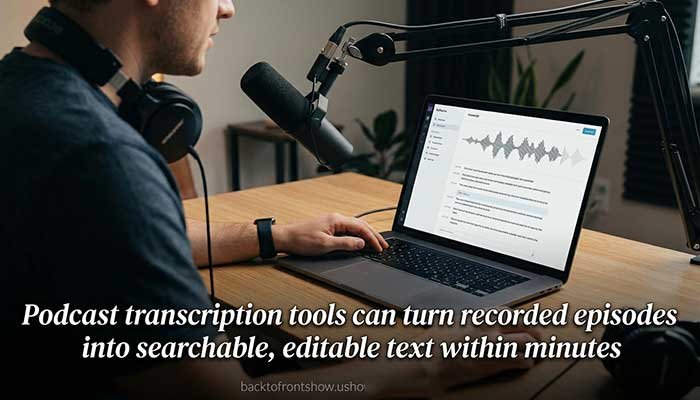
Once your recording is transcribed, you can edit the recording by editing its text. Delete a sentence from the transcript, for example, and the corresponding audio or video is removed.
That makes it particularly attractive to creators who understand what they want to remove but don’t want to spend as much time navigating waveforms.
Descript also includes AI-assisted tools such as Studio Sound, filler-word removal, clip creation, and other editing functions depending on your plan. Its current podcast offering combines transcript editing with audio and video production tools.
As of October 2026, Descript lists a free plan with one media hour per month. Its Hobbyist plan is listed at $16 per person per month when billed annually or $24 on monthly billing, while Creator is listed at $24 per person per month annually or $35 monthly.
Pros
- Extremely approachable for spoken-word editing
- Edit audio by changing text
- Audio and video in the same workflow
- AI-assisted cleanup and editing tools
- Useful for creating clips from longer episodes
- Free plan available
Cons
- Traditional audio engineers may prefer more detailed waveform controls
- AI and media usage limits depend on your plan
- Subscription costs can grow if you need higher usage limits
Who should choose it?
I usually recommend considering Descript first when editing itself is what’s stopping someone from publishing consistently. For conversational podcasts, being able to work through a transcript can feel much more natural than making hundreds of tiny waveform edits.
Who should skip it?
If you enjoy detailed mixing, sound design, plugin chains, automation, and precise control over every part of the signal, a conventional DAW such as Audition, REAPER, or Logic Pro may suit you better.
Read More: Buzzsprout vs Podbean: Which Is Better?
2. Audacity — Best Free Podcast Editing Software
Best for: Beginners and budget-conscious podcasters who want a capable desktop audio editor
Audacity remains one of the easiest podcast editors to recommend when the budget is exactly $0.
It is free, open source, and available for Windows, macOS, and Linux. Audacity’s current toolset includes recording, cutting, trimming, compression, EQ, noise reduction, plugins, spectrograms, and support for common audio formats.
Audacity also continues to evolve. Its current feature information includes local AI transcription using Whisper, along with familiar functions such as compression and noise reduction.
That makes it much more than a basic audio cutter.
You can record your podcast, edit several tracks, reduce steady background noise, use compression to control dynamics, adjust EQ, and export the finished episode without purchasing a subscription.
Pros
- Completely free
- Open source
- Windows, macOS, and Linux support
- Strong collection of editing and cleanup tools
- Supports third-party plugins
- Good option for learning traditional audio editing
Cons
- Workflow isn’t as automated as Descript or Alitu
- Some beginners may find waveform editing intimidating at first
- Podcast production involves more manual work than with all-in-one tools
Who should choose it?
Choose Audacity if you want to learn proper audio editing without committing to paid software.
I’ve found that learning even a few basic skills—cutting, fades, noise reduction, EQ, compression, and volume control—goes a long way. You don’t need to understand every Audacity feature before producing a clean podcast.
3. Adobe Audition — Best for Professional Podcast Audio Editing
Best for: Podcasters, editors, and production teams who want precise audio control
Adobe Audition is a professional audio workstation built for recording, mixing, editing, restoration, and audio finishing.
Adobe provides multitrack editing, waveform editing, and spectral editing within Audition. The spectral tools are particularly useful when you need to identify or repair specific unwanted sounds rather than applying a broad cleanup effect to the whole recording.
Adobe currently lists an individual Audition subscription at $22.99 per month on an annual plan billed monthly in the United States.
Audition makes the most sense when audio quality and control matter more than having the simplest possible interface.
Pros
- Professional multitrack workflow
- Detailed waveform editing
- Spectral display and restoration capabilities
- Strong audio cleanup tools
- Suitable for complicated podcast productions
- Works well within Adobe’s broader creative ecosystem
Cons
- Ongoing subscription
- Bigger learning curve than transcript-based editors
- More software than many simple podcasts actually require
Who should choose it?
Audition is worth considering for narrative shows, professional productions, agencies, and podcasters who regularly need detailed audio restoration.
Who should skip it?
A beginner publishing one lightly edited conversation each week may spend money on capabilities they rarely use.
4. Riverside — Best for Recording and Editing Remote Podcasts
Best for: Interview podcasts, video podcasts, and remote guests
Riverside stands out because editing isn’t its only purpose.
It’s also built for remote audio and video recording, making it useful when you want one platform for capturing guest conversations and turning those recordings into finished episodes.
Riverside’s editor supports text-based editing, meaning you can make changes through the transcript instead of relying entirely on a traditional timeline. Its editing tools also include features such as Magic Audio, silence and filler-word handling, captions, and AI-assisted clips.
Its current free plan includes a limited amount of multitrack recording. Riverside lists Standard at $15 per month when billed annually ($19 on monthly billing) and Pro at $24 per month annually ($29 monthly). Plan limits and included AI tools vary.
Pros
- Remote recording and editing in one platform
- Separate participant tracks
- Text-based editing
- Audio enhancement tools
- Video podcast support
- Free tier available
- Convenient for creating social clips
Cons
- Some important capabilities require higher plans
- Can be unnecessary if you already have a recording setup you like
- Less appropriate than a full DAW for detailed sound design
Who should choose it?
Imagine a weekly interview show with a host in Chicago and guests joining from around the country. Instead of using one program to record, another to transfer files, and another to edit, Riverside can keep more of that workflow together.
That’s where it becomes especially useful.
5. Alitu — Best for Beginners Who Want Podcast Production Automated
Best for: Podcasters who dislike technical editing
Alitu is designed around a different goal: reducing how much technical podcast production you need to do yourself.
It can handle tasks including audio cleanup, leveling, processing, episode assembly, editing, recording, transcription, music, and publishing tools. Its editor supports both waveform and text-based editing.
Alitu’s standard subscription is currently listed at $38 per month or $380 per year, although promotions may temporarily change the effective price displayed on its website.
Podcast hosting for up to 1,000 monthly downloads is included, with paid hosting tiers available above that level.
Pros
- Designed specifically around podcast production
- Automates several repetitive audio-processing tasks
- Text and waveform editing
- Recording and publishing tools
- Podcast hosting option
- Beginner-friendly workflow
Cons
- More expensive than free or one-time-purchase editors
- Less appealing to users who prefer manual audio control
- You may already pay for separate tools that overlap with its features
Who should choose it?
Alitu makes sense when you care more about publishing efficiently than becoming an audio engineer.
One thing I’ve noticed is that some new podcasters spend far too much time trying to perfect technical details listeners may barely notice. A streamlined workflow can sometimes be more valuable than another dozen advanced effects.
6. REAPER — Best Value for Advanced Podcast Editing
Best for: Podcasters who want professional-level flexibility without a large recurring subscription
REAPER is a full digital audio workstation with an unusually attractive licensing model.
Its discounted license currently costs $60 and can be used by individuals for personal use or by individuals and businesses whose annual gross revenue does not exceed $20,000. The commercial license is $225.
REAPER also provides a fully functional 60-day evaluation.
This isn’t a simplified podcast editor. It’s a serious production environment that can be customized extensively.
That flexibility is both its biggest strength and its biggest weakness.
Pros
- Powerful multitrack production
- Very flexible
- Large plugin ecosystem
- Generous evaluation period
- Low-cost discounted license for eligible users
- No mandatory monthly subscription for the license
Cons
- More technical than beginner-oriented podcast apps
- Interface can feel intimidating at first
- Requires more setup and learning to build an efficient podcast workflow
Who should choose it?
REAPER is excellent for someone who wants to develop deeper editing and mixing skills without paying indefinitely for a subscription.
If you’re comfortable learning shortcuts, templates, effects chains, and routing, the software can grow with you for a long time.
7. Logic Pro — Best Podcast Editing Software for Advanced Mac Users
Best for: Mac users producing complex podcasts, music-heavy shows, or detailed sound design
Logic Pro is Apple’s professional audio production application.
Although much of Apple’s marketing focuses on music production, Logic gives podcast producers a capable environment for recording, editing, mixing, plugins, automation, and large multitrack sessions.
Apple currently sells the standalone Mac version for $199.99. Logic Pro is also part of Apple Creator Studio, currently listed at $12.99 per month or $129 per year in the United States.
The standalone version is particularly appealing to users who prefer making one larger purchase instead of maintaining another software subscription.
Pros
- Professional audio editing and mixing
- Large collection of effects and processing tools
- Excellent for music-heavy podcasts
- Strong automation and multitrack features
- One-time purchase option
- Deep enough for advanced production
Cons
- Mac only
- Considerably more complex than simple podcast editors
- Many included music-production features may be irrelevant to podcasters
Who should choose it?
Choose Logic if you use a Mac and want a production environment capable of handling much more than basic dialogue cleanup.
It’s particularly useful when music, sound effects, layered narration, or advanced mixing are a major part of the show.
8. GarageBand — Best Free Podcast Editor for Mac Beginners
Best for: Mac users who want a simple introduction to multitrack editing
GarageBand is a practical starting point if you already own a Mac and don’t need advanced podcast automation.
Apple describes GarageBand for Mac as a complete music creation studio, but many of its core tools apply equally well to podcast production. It supports multitrack projects, recording, EQ, compression, plugins, volume control, panning, and extensive audio editing. Apple says GarageBand projects can contain up to 255 audio tracks.
You probably won’t use most of those tracks for a podcast, but the flexibility is there.
Pros
- Free for Apple users
- Beginner-friendly compared with professional DAWs
- Multitrack recording and editing
- Built-in EQ, compression, effects, and automation
- Natural upgrade path toward Logic Pro
Cons
- Apple ecosystem only
- Not built specifically around podcast workflows
- No transcript-first editing experience like Descript or Riverside
- Less advanced than Logic Pro
Who should choose it?
GarageBand works especially well for a Mac user producing a simple solo or interview podcast who wants more control than an automated editor provides without paying for professional software immediately.
Which Podcast Editor Is Best for You?
Instead of choosing by feature count, choose based on your workflow.
| Your Situation | Best Starting Choice |
|---|---|
| I want the easiest overall editing experience | Descript |
| I need completely free editing software | Audacity |
| I record remote guests regularly | Riverside |
| I want podcast production automated | Alitu |
| I want detailed professional audio restoration | Adobe Audition |
| I want advanced editing at a low long-term cost | REAPER |
| I’m an advanced Mac user | Logic Pro |
| I’m a beginner with a Mac | GarageBand |
Choose Descript if editing takes too long
For conversational podcasts, transcript editing can remove much of the friction associated with traditional audio editing.
Choose Audacity if money is the main constraint
You can produce a legitimate podcast without buying editing software.
Spend your budget first on the parts that materially improve your recording, such as a decent microphone and a reasonably quiet recording environment.
Choose Riverside if remote recording is part of the problem
When your production workflow begins with remote guests, having recording and editing under one roof can be more valuable than choosing an editor based solely on post-production features.
Choose Audition, REAPER, or Logic if control matters most
These tools give you more room to build complex editing, mixing, and audio-processing workflows.
The tradeoff is learning time.
Choose Alitu if you want fewer technical decisions
If you’d rather concentrate on interviewing, writing, or publishing than adjusting compressors and EQ settings, automation may be worth paying for.
What Features Matter Most in a Podcast Audio Editor?
Multitrack editing
If your podcast includes multiple speakers, music, advertisements, or sound effects, separate tracks make editing much easier.
For example, imagine that you record a host and guest on separate tracks.
The guest coughs while the host is answering a question.
With separate tracks, you may be able to mute or edit the guest’s track without affecting the host. If both voices were permanently combined into one file, fixing that moment would be harder.
Non-destructive editing
Whenever possible, use software and workflows that let you change edits without permanently destroying the source material.
Keep your original recordings as well.
Noise reduction
Noise reduction can help with steady sounds such as fans, air conditioning, or background hiss.
But it isn’t magic.
Aggressive processing can make a person’s voice sound watery, metallic, or unnatural.
I’ve found that preventing noise during recording is almost always easier than trying to completely repair it later.
Compression
Compression reduces the difference between louder and quieter parts of a recording.
Used carefully, it can make spoken audio easier to listen to.
Used excessively, it can make a podcast tiring or unnatural.
EQ
Equalization lets you adjust different frequency ranges.
For podcast speech, EQ can help reduce unwanted low-frequency rumble or make speech easier to understand, but you don’t need to boost and cut frequencies simply because an online tutorial tells you to.
Listen first. Adjust second.
Automatic audio cleanup
AI cleanup can be extremely useful when you need fast results.
Tools such as Descript’s Studio Sound and Riverside’s Magic Audio can automate parts of this process. Riverside says Magic Audio can reduce background noise, balance levels, and improve vocal clarity.
My advice is to treat automatic enhancement as a starting point rather than assuming stronger processing always means better audio.
Compare the processed version with the original before exporting.
Transcript-based editing
For spoken podcasts, this is one of the most useful developments in modern editing software.
Instead of looking for a sentence in a 60-minute waveform, you can locate the words in a transcript and edit from there.
Descript and Riverside both provide transcript-oriented editing workflows.
A Simple Podcast Editing Workflow
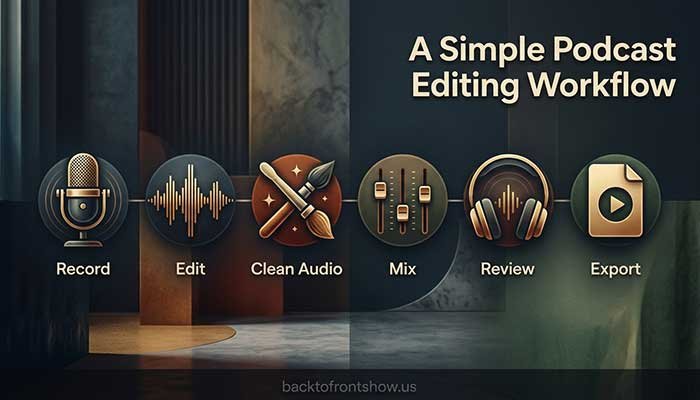
You don’t need a complicated 25-step production process.
For many podcasts, this workflow is enough:
Step 1: Save your original recording
Never make your only copy of the source recording the file you’re actively modifying.
Step 2: Organize separate tracks
Keep the host, guests, music, advertisements, and other important elements organized.
Step 3: Make the big editorial cuts first
Remove:
- False starts
- Long mistakes
- Completely irrelevant tangents
- Technical interruptions
- Unnecessary dead space
Don’t spend ten minutes cleaning a sentence that you later decide to delete entirely.
Step 4: Clean obvious audio problems
Handle persistent background noise, clicks, hum, or distracting inconsistencies where your software can improve them safely.
Step 5: Balance speakers
Make sure listeners aren’t constantly turning their volume up for one person and back down for another.
Step 6: Use EQ and compression only when needed
Processing should solve a problem.
Don’t add an effect simply because it’s part of your template.
Step 7: Add intro, outro, music, and advertisements
Keep music on its own track so you can adjust its level independently.
Step 8: Listen before exporting
Headphones can reveal edits, clicks, abrupt cuts, or background noises that weren’t obvious while watching the screen.
Step 9: Export and review the final file
Listen to at least part of the actual exported version.
A perfect project file doesn’t help if your export settings or final render contain a problem.
Common Podcast Editing Mistakes to Avoid
Trying to remove every “um” and “uh”
A perfectly sanitized conversation can sound less human than the original.
Remove filler words when they genuinely interrupt comprehension or pace. Don’t automatically treat natural speech as a defect.
Overprocessing voices
More noise reduction, more compression, and more EQ do not automatically produce better sound.
Each process can introduce new problems when pushed too far.
Editing before fixing your recording setup
If every episode requires heavy noise removal, the long-term solution may be changing your room, microphone placement, recording level, or recording technique.
Good editing begins before you press Record.
Buying professional software too early
One of the most common mistakes I’ve seen is assuming professional software automatically creates professional audio.
It doesn’t.
Learning microphone technique, basic editing, sensible levels, and a consistent production process will usually make a bigger difference than buying software with another hundred features.
Is AI Podcast Editing Better Than Traditional Editing?
Neither method is automatically better.
AI-assisted podcast editing is best when speed matters.
It can be particularly helpful for:
- Transcript editing
- Silence removal
- Filler-word detection
- Basic audio enhancement
- Transcription
- Social clips
- Show-note assistance
Traditional editing is better when precision matters.
A conventional waveform or DAW environment gives experienced editors much more control over individual cuts, effects, automation, mixing, and audio restoration.
Many podcasters will benefit from combining the two.
For example, you might use AI to create a first editing pass and then manually review important transitions and audio problems before publishing.
Do You Need Paid Podcast Editing Software?
No.
Audacity provides enough functionality to record and edit a professional-sounding spoken podcast without a software subscription. Audacity confirms that the application remains free and open source.
Paid software starts making sense when it saves meaningful time or gives you capabilities your current editor cannot provide.
Paying $20 or $30 per month may be completely reasonable if a tool saves several hours of editing every month.
Paying for software you barely use isn’t.
Final Recommendation
For most podcasters, Descript is the best place to start because text-based editing makes spoken-word production unusually approachable and its audio, video, AI, and clip tools cover a broad range of creator workflows.
For free podcast editing, choose Audacity.
For professional audio restoration and precision, choose Adobe Audition.
For remote interviews and video podcasts, Riverside deserves serious consideration.
For beginners who want much of the production process handled automatically, look at Alitu.
For deeper traditional editing without a mandatory subscription, REAPER offers outstanding value.
And Mac users should compare GarageBand for simplicity with Logic Pro for advanced production.
Don’t choose based on what looks most professional.
Choose the editor that helps you reliably turn a raw recording into an episode you’re comfortable publishing.